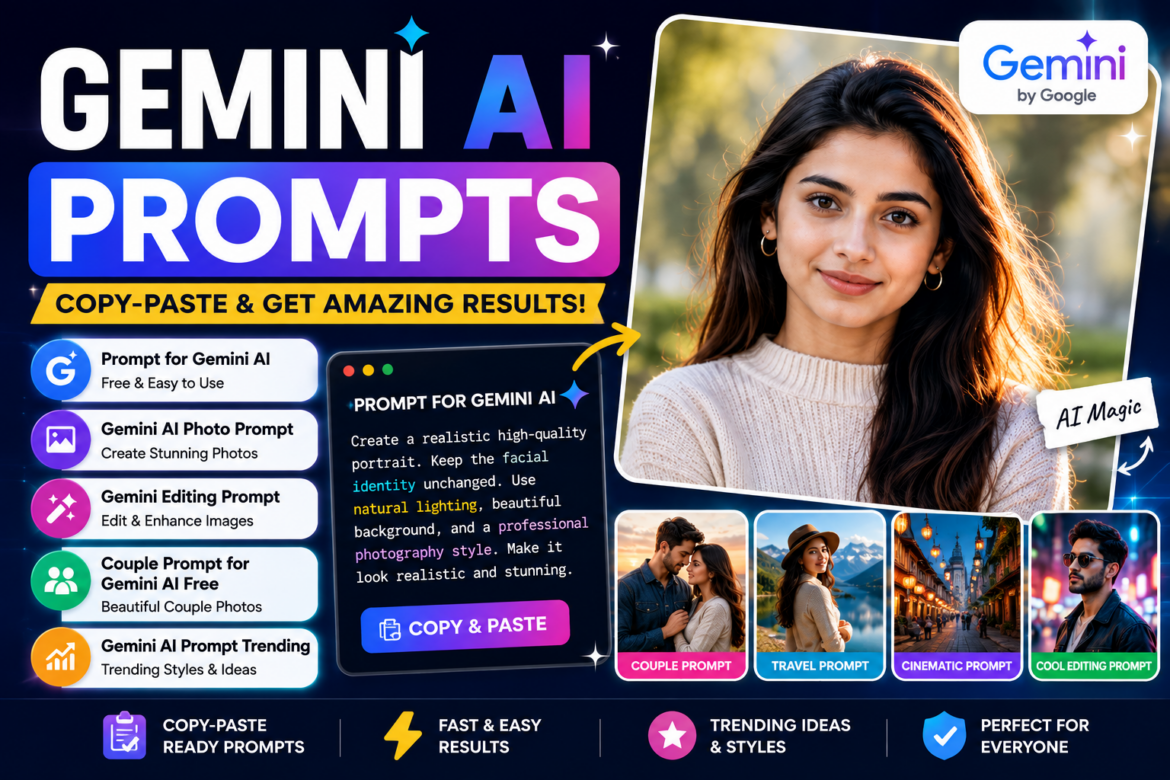
Google Gemini has become a popular AI tool for creating ideas, improving images, writing content, and experimenting with creative prompts. One of the easiest ways to get better results is to give Gemini a detailed instruction instead of a short request.
Whether you want to create a stylish portrait, edit an existing photograph, generate a social-media-ready image, or create a romantic couple photo, the right prompt can make a significant difference.
In this guide, you’ll find practical Gemini AI prompts that you can copy, paste, and customize for different purposes. We will cover a prompt for Gemini AI, photo editing ideas, couple prompts, trending styles, and tips for writing better instructions.
What Is a Gemini AI Prompt?
A Gemini AI prompt is simply an instruction that tells Gemini what you want it to create, edit, explain, or accomplish.
For example, instead of writing:
“Make my photo better.”
You could write:
“Edit this portrait to create a professional outdoor photograph with soft natural lighting, realistic skin texture, a clean background, and a premium photography style. Keep the person’s facial identity and natural features unchanged.”
The second instruction gives Gemini much more information about the desired result.
A good prompt can specify:
- Subject
- Background
- Clothing
- Lighting
- Camera style
- Mood
- Colors
- Composition
- Image dimensions
- Editing requirements
Gemini AI Prompt Copy Paste Ideas
If you don’t want to create prompts from scratch, you can use a Gemini AI prompt copy paste format and customize it according to your photograph.
Basic Portrait Prompt
Create a realistic high-quality portrait from this image. Keep my facial identity, facial structure, skin tone, and natural features unchanged. Improve lighting and clarity while maintaining realistic skin texture. Use soft natural lighting and a clean, elegant background. Make the final image look like professional photography without making it artificial.This type of prompt for Gemini copy paste can be adapted for profile pictures, social media posts, or personal photographs.
Prompt for Gemini AI Free
If you’re looking for a prompt for Gemini AI free, you don’t necessarily need complicated instructions. A well-written prompt can be useful even when you’re using Gemini without a paid subscription.
Professional Profile Photo Prompt
Turn this photo into a professional profile picture. Keep my face and identity exactly the same. Use a clean modern background, soft studio lighting, natural skin texture, realistic facial details, and professional composition. Make the image suitable for LinkedIn and professional social media profiles.The important thing is to describe what you want, rather than simply telling Gemini to “make it beautiful.”
Prompt Gemini AI for Stylish Photos
Want to experiment with different photography styles? Try describing the environment, lighting, clothing, and mood.
Cinematic Portrait Prompt
Transform this photo into a cinematic outdoor portrait. Keep my facial identity and natural features unchanged. Add warm golden-hour lighting, a softly blurred background, realistic shadows, detailed clothing texture, natural skin tones, and a premium cinematic photography look. Keep the final image realistic and photorealistic.You can replace “cinematic” with terms such as:
- Editorial
- Street photography
- Minimalist
- Vintage
- Luxury
- Travel photography
- Studio portrait
- Film photography
Gemini AI Photo Prompt
A Gemini AI photo prompt works best when it explains the complete visual scene.
For example:
Create a realistic travel portrait using this photo as the reference. Keep the person's facial identity, facial structure, and natural appearance unchanged. Place the person in a beautiful mountain landscape during sunrise. Add soft golden sunlight, realistic shadows, detailed surroundings, natural colors, and professional travel photography composition. Make the final result photorealistic.This is useful for people who want to create travel-themed images without completely changing their appearance.
Gemini Editing Prompt
If you’re editing an existing photograph, be specific about what should and should not change.
Background Editing Prompt
Edit this photograph by replacing the background with a beautiful modern café interior. Keep the person, face, hairstyle, clothing, body proportions, and facial identity unchanged. Match the lighting between the subject and the new background so the result looks like a naturally photographed scene. Maintain realistic shadows and textures.This is a useful Gemini editing prompt because it clearly separates the element you want changed from the elements you want preserved.
Clothing Editing Prompt
Change the person's outfit to a stylish casual outfit suitable for a modern city setting. Keep the person's face, hairstyle, skin tone, body proportions, pose, and identity unchanged. Make the clothing realistic, naturally fitted, and consistent with the lighting of the original photograph.Gemini Photo Prompt Generator: How to Create Better Prompts
Instead of searching for a Gemini photo prompt generator, you can also build your own prompt using a simple formula:
Subject + Setting + Clothing + Lighting + Camera Style + Mood + Quality + Restrictions
For example:
Create a realistic portrait of a young woman standing in a modern city street, wearing an elegant casual outfit, during golden hour. Use soft warm lighting, shallow depth of field, realistic skin texture, natural colors, professional photography composition, and a cinematic look. Keep facial identity and natural features unchanged.This structure makes it easier to generate different prompts for your own needs.
Gemini AI Prompt Trending Ideas
The popularity of AI-generated photos changes quickly, but several styles consistently work well for social media.
If you’re looking for a Gemini AI prompt trending idea, try experimenting with:
1. Cinematic Travel Photo
Transform this photo into a cinematic travel photograph set in a beautiful mountain destination. Keep my facial identity unchanged. Add dramatic natural scenery, golden-hour lighting, realistic shadows, detailed surroundings, and professional travel photography composition.2. Luxury Editorial Look
Turn this portrait into a luxury editorial fashion photograph. Keep my face and identity unchanged. Add sophisticated lighting, an elegant background, premium styling, realistic skin texture, subtle shadows, and high-end magazine photography composition.3. Vintage Film Style
Give this photograph a classic vintage film photography appearance. Preserve my facial identity and natural features. Add subtle film grain, soft contrast, warm tones, natural lighting, and an authentic analog photography feel without making the image look artificial.Couple Prompt for Gemini AI Free
Couple photos are another popular use of AI image editing. A couple prompt for Gemini AI free can be used to create romantic, travel, wedding, or cinematic scenes.
Romantic Couple Portrait
Create a realistic romantic couple portrait using the provided photos as references. Keep both people's facial identities, facial features, skin tones, and natural appearances unchanged. Place the couple together during a beautiful sunset at a scenic outdoor location. Add warm golden-hour lighting, natural poses, realistic shadows, soft background blur, and professional photography composition. Make the final image look like an authentic photograph.Couple Travel Photo
Create a realistic travel photograph of this couple exploring a beautiful mountain destination. Keep both people's identities and facial features unchanged. Show them standing together in a scenic location with mountains in the background. Use natural daylight, realistic clothing details, authentic body proportions, natural poses, and professional travel photography.Wedding-Style Couple Prompt
Create an elegant wedding-style couple portrait using the provided reference photos. Preserve both people's facial identities and natural features. Dress them in sophisticated formal wedding outfits and place them in an elegant venue decorated with subtle flowers and warm lighting. Maintain realistic skin texture, natural expressions, realistic proportions, and professional wedding photography quality.How to Write Your Own Gemini AI Prompts
You don’t always need to search for ready-made prompts. You can create your own by answering seven simple questions:
1. What should Gemini create?
Example: Portrait, couple photo, travel photo, professional headshot.
2. What should the subject look like?
Describe clothing, hairstyle, accessories, or pose.
3. Where should the scene take place?
For example:
- Beach
- Mountain
- Café
- City
- Studio
- Garden
4. What lighting should be used?
Try:
- Golden hour
- Soft studio lighting
- Natural daylight
- Sunset
- Dramatic lighting
5. What photography style do you want?
You can request:
- Cinematic
- Editorial
- Professional
- Vintage
- Travel photography
- Minimalist
6. What should remain unchanged?
This is particularly important when editing a person’s photograph.
You can write:
“Keep the person’s facial identity, facial structure, skin tone, and natural features unchanged.”
7. What should be avoided?
If necessary, add instructions such as:
“Avoid unrealistic skin, distorted hands, unnatural facial features, excessive smoothing, or cartoon-like results.”
Tips for Getting Better Results From Gemini
A good prompt doesn’t have to be extremely long. It needs to be specific and clear.
Use descriptive instructions
Instead of:
“Make a beautiful photo.”
Try:
“Create a realistic outdoor portrait with soft golden-hour lighting, natural skin texture, a softly blurred background, and professional photography composition.”
Mention what must remain unchanged
This is particularly useful for photo editing.
Don’t overload the prompt
Adding too many conflicting instructions can produce an unexpected result. Start with the important requirements and refine the prompt after seeing the result.
Experiment with variations
You can ask Gemini to create different versions of the same concept, such as:
- Cinematic
- Minimalist
- Luxury
- Vintage
- Natural
- Editorial
Final Thoughts
The quality of your results often depends on how clearly you communicate your idea. Whether you’re looking for a prompt for Gemini AI, a Gemini AI photo prompt, a Gemini editing prompt, or a couple prompt for Gemini AI free, specific instructions can help you achieve more predictable results.
You can also use a Gemini AI prompt copy paste approach when you’re new to AI image creation. Start with a ready-made prompt, change the location, clothing, lighting, or photography style, and experiment with different versions.
The best approach is to treat prompts as starting points rather than fixed instructions. Once you understand how to describe the subject, scene, lighting, style, and editing requirements, you can create your own prompts for almost any type of image.
Important: When editing personal photographs, use images you have the right to use and avoid attempting to misrepresent real events or people. AI-generated or heavily edited images should also be presented honestly when that distinction matters.